
搜索到
9
篇与
的结果
-
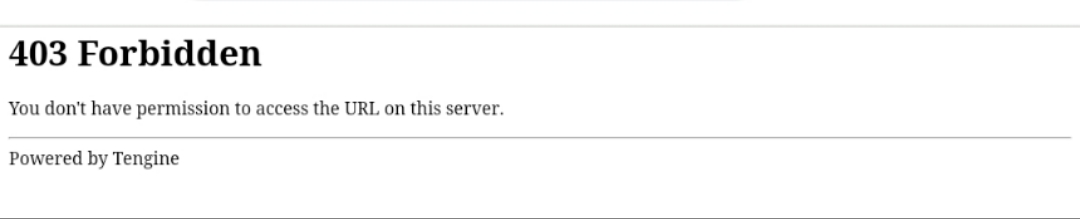
 如何下载有防盗功能的资源 在我们日常浏览视频或图片时,常常遇到想要保存却发现图片源无法直接打开的情况,通常会弹出防盗提示,如下所示:面对这种情况,其实有一个简单的解决方法:使用 cURL 来伪造图片来源。通过 cURL 发起请求获取图片,并伪造 HTTP 请求头中的 Referer 和 User-Agent 字段,这样可以有效绕过某些网站的防盗链或访问限制。仅需一段 PHP 代码就能轻松搞定,代码附在文末,可直接复制。<?php // 替换为你要下载的图片 URL $imageUrl = "https://tvax1.sinaimg.cn/large/aeda7a57ly1hubz2jnxqoj20by0by0ta.jpg"; // 替换为伪造的 Referer 来源 $referer = "https://tvax1.sinaimg.cn/"; // 替换为伪造的 User-Agent 或使用默认值 $userAgent = "Mozilla/5.0 (Windows NT 10.0; Win64; x64) AppleWebKit/537.36 (KHTML, like Gecko) Chrome/92.0.4515.107 Safari/537.36"; // 初始化 cURL $ch = curl_init(); // 设置 cURL 选项 curl_setopt($ch, CURLOPT_URL, $imageUrl); curl_setopt($ch, CURLOPT_RETURNTRANSFER, true); curl_setopt($ch, CURLOPT_FOLLOWLOCATION, true); curl_setopt($ch, CURLOPT_REFERER, $referer); curl_setopt($ch, CURLOPT_USERAGENT, $userAgent); curl_setopt($ch, CURLOPT_SSL_VERIFYPEER, false); // 执行 cURL 请求 $imageData = curl_exec($ch); // 检查是否有错误 if(curl_errno($ch)) { echo "cURL 错误: " . curl_error($ch); } else { // 生成随机文件名,使用 uniqid() 函数,带上 .jpg 扩展 $randomFileName = uniqid('image_', true) . '.jpg'; // 替换为你想保存的本地路径和随机文件名 $savePath = "images/" . $randomFileName; // 保存文件 if (file_put_contents($savePath, $imageData)) { echo "图片下载成功,保存为: " . $savePath; } else { echo "保存图片失败"; } } // 关闭 cURL 资源 curl_close($ch); ?>
 -
防盗链三部曲 流量计费的CDN,轻量云服务器,为避免被pcdn清洗,可以尝试以下三部曲,以下方法对图片与附件均有效果,还可以增加token 验证方式设置链接阅后即焚、时效期更加安全;虽不能完全避免但是大几率减少被刷风险!1.检测来访源,设置站点白名<?php $allowedHosts = ['www.tiansj.net', 'tiansj.net']; if (!isset($_SERVER['HTTP_REFERER']) || !in_array(parse_url($_SERVER['HTTP_REFERER'], PHP_URL_HOST), $allowedHosts)) { header('HTTP/1.0 403 Forbidden'); exit('来源不合法禁止访问,Access forbidden'); } ?>2.开启跨域访问验证<?php header('Access-Control-Allow-Origin: https://www.tiansj.net'); // 仅允许特定域访问 ?>3.检测HTTP 头部 是否非正常访问<?php if (!isset($_SERVER['HTTP_ACCEPT']) || $_SERVER['HTTP_ACCEPT'] == '*/*') { header('HTTP/1.0 403 Forbidden'); exit('检测到非法访问;Access forbidden'); } ?>以上方法并不能百分百安全,但测试已经能避免被迅雷,IDM之类软件批量下载;
-
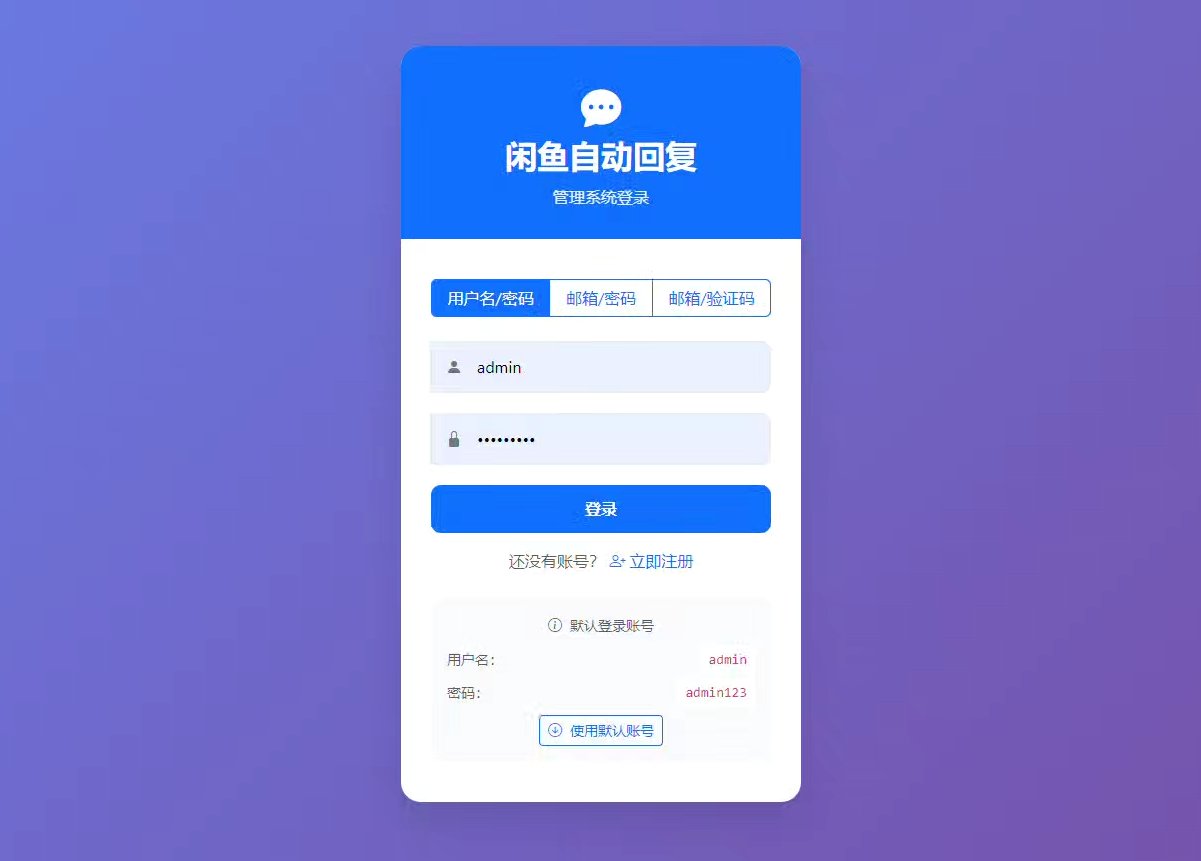
《闲鱼自动发货》程序,源码及python配置分享。 我之前的号上是有一些商品的,所以我想配置一下自动发货,但是我突然想起来,闲鱼最近有个很热门的免费自动发货软件,我想试试看。我就找了一下。先看下环境要求:Python: 3.11+ Node.js: 16+ (用于JavaScript执行) 系统: Windows/Linux/macOS 内存: 建议2GB+存储: 建议10GB+ Docker: 20.10+ (Docker部署) Docker Compose: 2.0+ (Docker部署) 如果你有Docker,或者是 Win10 22H2 或 Win11 23H2 以上,可以安装。 有这个可以一键安装。我就没有,我的是10专业版,下不了,于是用 python 方案来安装的。这个是纯小白方案,不会的也可以一步步的来安装。第一步:去 python.org 下载 Windows 的 Python 3.11.9 安装包(64-bit)安装时勾上: Add python.exe to PATH第二步:在你的源码目录创建虚拟环境(用 3.11.9) 在源码文件夹空白处:Shift + 右键 → “在此处打开 PowerShell”(这个一定要打开,蓝色执行命令界面)然后执行(照抄): py -3.11 -m venv venv.\\venv\\Scripts\\activate 激活后,你命令行前面会出现 (venv)。输入命令: python -V 确认输出是 Python 3.11.x(显示 3.11.9)依次输出命令,回车,等待回传。第三步:安装依赖python -m pip install -U pippip install -r requirements.txt 依次输出命令,回车,等待命令完成。第四步:安装 Playwright 浏览器(项目需要它)执行: playwright install chromium (这一步可能会下载几百 MB,正常。)第五步:启动执行命令: python Start.py 启动后按文档访问: http://localhost:8080 只要步骤没错,基本上,就能启动闲鱼自动发货了。源码下载:隐藏内容,请前往内页查看详情
-
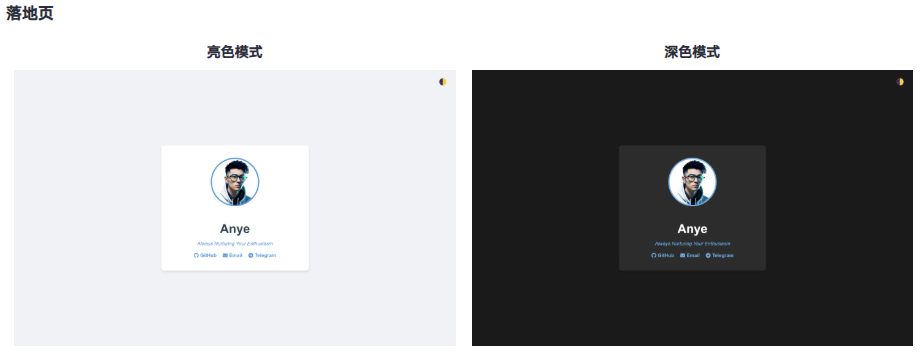
整了几个简洁的单页HTML模板 {collapse}{collapse-item label="查看源码"}<!DOCTYPE html> <html lang="zh-CN"> <head> <meta charset="UTF-8"> <meta name="viewport" content="width=device-width, initial-scale=1.0"> <title>Anye - Always Nurturing Your Enthusiasm</title> <link rel="stylesheet" href="https://cdnjs.cloudflare.com/ajax/libs/font-awesome/6.4.0/css/all.min.css"> <style> :root { --bg-color: #f0f2f5; --text-color: #333; --card-bg: white; --heading-color: #2c3e50; --link-color: #3498db; } .dark-mode { --bg-color: #1a1a1a; --text-color: #e0e0e0; --card-bg: #2c2c2c; --heading-color: #ffffff; --link-color: #63b3ed; } body { font-family: Arial, sans-serif; background-color: var(--bg-color); color: var(--text-color); display: flex; flex-direction: column; justify-content: center; align-items: center; min-height: 100vh; margin: 0; padding: 20px; box-sizing: border-box; transition: background-color 0.3s, color 0.3s; } .container { background-color: var(--card-bg); border-radius: 8px; padding: 40px; box-shadow: 0 4px 6px rgba(0, 0, 0, 0.1); text-align: center; max-width: 400px; width: 100%; transition: background-color 0.3s; } .avatar { width: 150px; height: 150px; border-radius: 50%; margin-bottom: 20px; border: 4px solid var(--link-color); transition: border-color 0.3s; } h1 { color: var(--heading-color); margin-bottom: 10px; font-size: 2.5em; transition: color 0.3s; } .signature { font-style: italic; margin-bottom: 20px; color: var(--link-color); } .contact-links { display: flex; justify-content: center; gap: 20px; margin-top: 20px; } .contact-link { color: var(--link-color); text-decoration: none; font-weight: bold; transition: color 0.3s, transform 0.3s; display: inline-flex; align-items: center; gap: 5px; } .contact-link:hover { transform: scale(1.1); } .theme-toggle { position: absolute; top: 20px; right: 20px; background: none; border: none; color: var(--text-color); cursor: pointer; font-size: 24px; transition: transform 0.3s; } .theme-toggle:hover { transform: scale(1.1); } @media (max-width: 480px) { .container { padding: 20px; } } </style> </head> <body> <button class="theme-toggle" onclick="toggleTheme()" aria-label="切换主题">🌓</button> <div class="container"> <img src="你的logo链接" alt="Logo" class="avatar"> <h1>Name</h1> <p class="signature">个性签名</p> <div class="contact-links"> <a href="https://github.com/" class="contact-link" target="_blank" rel="noopener noreferrer"> <i class="fab fa-github"></i> GitHub </a> <a href="mailto:Youremail" class="contact-link"> <i class="fas fa-envelope"></i> Email </a> <a href="https://t.me/" class="contact-link" target="_blank" rel="noopener noreferrer"> <i class="fab fa-telegram"></i> Telegram </a> </div> </div> <script> function toggleTheme() { document.body.classList.toggle('dark-mode'); localStorage.setItem('theme', document.body.classList.contains('dark-mode') ? 'dark' : 'light'); } const savedTheme = localStorage.getItem('theme'); if (savedTheme === 'dark') { document.body.classList.add('dark-mode'); } const mediaQuery = window.matchMedia('(prefers-color-scheme: dark)'); function handleThemeChange(e) { if (savedTheme) return; if (e.matches) { document.body.classList.add('dark-mode'); } else { document.body.classList.remove('dark-mode'); } } mediaQuery.addListener(handleThemeChange); handleThemeChange(mediaQuery); </script> </body> </html>{/collapse-item}{/collapse}{collapse}{collapse-item label="查看源码"}<!DOCTYPE html> <html lang="zh-CN"> <head> <meta charset="UTF-8"> <meta name="viewport" content="width=device-width, initial-scale=1.0"> <title>404 Not Found</title> <style> :root { --bg-color: #f0f2f5; --text-color: #333; --card-bg: white; --heading-color: #2c3e50; --link-color: #3498db; } .dark-mode { --bg-color: #1a1a1a; --text-color: #e0e0e0; --card-bg: #2c2c2c; --heading-color: #ffffff; --link-color: #63b3ed; } body { font-family: Arial, sans-serif; background-color: var(--bg-color); color: var(--text-color); display: flex; flex-direction: column; justify-content: center; align-items: center; height: 100vh; margin: 0; padding: 20px; box-sizing: border-box; transition: background-color 0.3s, color 0.3s; } .container { background-color: var(--card-bg); border-radius: 8px; padding: 40px; box-shadow: 0 4px 6px rgba(0, 0, 0, 0.1); text-align: center; max-width: 400px; width: 100%; transition: background-color 0.3s; } h1 { color: var(--heading-color); margin-bottom: 20px; font-size: 2.5em; transition: color 0.3s; } p { line-height: 1.6; margin-bottom: 20px; } .icon { font-size: 64px; margin-bottom: 20px; } .back-link { color: var(--link-color); text-decoration: none; font-weight: bold; transition: color 0.3s; } .back-link:hover { text-decoration: underline; } .theme-toggle { position: absolute; top: 20px; right: 20px; background: none; border: none; color: var(--text-color); cursor: pointer; font-size: 24px; transition: transform 0.3s; } .theme-toggle:hover { transform: scale(1.1); } @media (max-width: 480px) { .container { padding: 20px; } } </style> </head> <body> <button class="theme-toggle" onclick="toggleTheme()" aria-label="切换主题">🌓</button> <div class="container"> <div class="icon">🔍</div> <h1>404 Not Found</h1> <p>抱歉,您请求的页面不存在。</p> <p>可能是输入的网址有误,或者该页面已被移动或删除。</p> <a href="/" class="back-link">返回首页</a> </div> <script> function toggleTheme() { document.body.classList.toggle('dark-mode'); localStorage.setItem('theme', document.body.classList.contains('dark-mode') ? 'dark' : 'light'); } const savedTheme = localStorage.getItem('theme'); if (savedTheme === 'dark') { document.body.classList.add('dark-mode'); } const mediaQuery = window.matchMedia('(prefers-color-scheme: dark)'); function handleThemeChange(e) { if (savedTheme) return; if (e.matches) { document.body.classList.add('dark-mode'); } else { document.body.classList.remove('dark-mode'); } } mediaQuery.addListener(handleThemeChange); handleThemeChange(mediaQuery); </script> </body> </html> {/collapse-item}{/collapse}{collapse}{collapse-item label="查看源码"}<!DOCTYPE html> <html lang="zh-CN"> <head> <meta charset="UTF-8"> <meta name="viewport" content="width=device-width, initial-scale=1.0"> <title>404 Not Found</title> <style> :root { --bg-color: #f0f2f5; --text-color: #333; --card-bg: white; --heading-color: #2c3e50; --link-color: #3498db; } .dark-mode { --bg-color: #1a1a1a; --text-color: #e0e0e0; --card-bg: #2c2c2c; --heading-color: #ffffff; --link-color: #63b3ed; } body { font-family: Arial, sans-serif; background-color: var(--bg-color); color: var(--text-color); display: flex; flex-direction: column; justify-content: center; align-items: center; height: 100vh; margin: 0; padding: 20px; box-sizing: border-box; transition: background-color 0.3s, color 0.3s; } .container { background-color: var(--card-bg); border-radius: 8px; padding: 40px; box-shadow: 0 4px 6px rgba(0, 0, 0, 0.1); text-align: center; max-width: 400px; width: 100%; transition: background-color 0.3s; } h1 { color: var(--heading-color); margin-bottom: 20px; font-size: 2.5em; transition: color 0.3s; } p { line-height: 1.6; margin-bottom: 20px; } .icon { font-size: 64px; margin-bottom: 20px; } .back-link { color: var(--link-color); text-decoration: none; font-weight: bold; transition: color 0.3s; } .back-link:hover { text-decoration: underline; } .theme-toggle { position: absolute; top: 20px; right: 20px; background: none; border: none; color: var(--text-color); cursor: pointer; font-size: 24px; transition: transform 0.3s; } .theme-toggle:hover { transform: scale(1.1); } @media (max-width: 480px) { .container { padding: 20px; } } </style> </head> <body> <button class="theme-toggle" onclick="toggleTheme()" aria-label="切换主题">🌓</button> <div class="container"> <div class="icon">🔍</div> <h1>404 Not Found</h1> <p>抱歉,您请求的页面不存在。</p> </div> <script> function toggleTheme() { document.body.classList.toggle('dark-mode'); localStorage.setItem('theme', document.body.classList.contains('dark-mode') ? 'dark' : 'light'); } const savedTheme = localStorage.getItem('theme'); if (savedTheme === 'dark') { document.body.classList.add('dark-mode'); } const mediaQuery = window.matchMedia('(prefers-color-scheme: dark)'); function handleThemeChange(e) { if (savedTheme) return; if (e.matches) { document.body.classList.add('dark-mode'); } else { document.body.classList.remove('dark-mode'); } } mediaQuery.addListener(handleThemeChange); handleThemeChange(mediaQuery); </script> </body> </html> {/collapse-item}{/collapse}{collapse}{collapse-item label="查看源码"}<!DOCTYPE html> <html lang="zh-CN"> <head> <meta charset="utf-8"> <meta name="viewport" content="width=device-width, initial-scale=1.0"> <meta name="robots" content="noindex,nofollow"> <title>恭喜,站点创建成功!</title> <style> :root { --bg-color: #f0f0f0; --text-color: #333; --link-color: #007bff; --container-bg: #ffffff; } .dark-mode { --bg-color: #333; --text-color: #f0f0f0; --link-color: #66b2ff; --container-bg: #1c1c1e; } body { font-family: -apple-system, BlinkMacSystemFont, "Segoe UI", Roboto, Helvetica, Arial, sans-serif; background-color: var(--bg-color); color: var(--text-color); line-height: 1.6; margin: 0; padding: 20px; transition: background-color 0.3s, color 0.3s; } .container { width: 90%; max-width: 600px; margin: 10% auto 0; background-color: var(--container-bg); padding: 30px; border-radius: 10px; box-shadow: 0 4px 6px rgba(0, 0, 0, 0.1); transition: background-color 0.3s; } h1 { color: var(--link-color); margin-top: 0; } ul { padding-left: 20px; } li { margin-bottom: 10px; } a { color: var(--link-color); text-decoration: none; } a:hover { text-decoration: underline; } .theme-toggle { position: fixed; top: 20px; right: 20px; background: none; border: none; color: var(--text-color); font-size: 24px; cursor: pointer; transition: transform 0.3s; } .theme-toggle:hover { transform: scale(1.1); } @media (max-width: 600px) { .container { width: 100%; padding: 20px; } } </style> </head> <body> <button class="theme-toggle" onclick="toggleTheme()" aria-label="切换主题">🌓</button> <div class="container"> <h1>恭喜,站点创建成功!</h1> <h3>这是默认index.html,本页面由系统自动生成</h3> <p>您可以随时修改、删除或替换此页面。以下是一些有用的链接:</p> <ul> <li><a href="https://developer.mozilla.org/zh-CN/docs/Learn/HTML/Introduction_to_HTML" target="_blank" rel="noopener noreferrer">HTML入门教程</a></li> <li><a href="https://developer.mozilla.org/zh-CN/docs/Learn/CSS/First_steps" target="_blank" rel="noopener noreferrer">CSS入门教程</a></li> <li><a href="https://developer.mozilla.org/zh-CN/docs/Learn/JavaScript/First_steps" target="_blank" rel="noopener noreferrer">JavaScript入门教程</a></li> </ul> <p>祝您开发顺利!</p> </div> <script> function toggleTheme() { document.body.classList.toggle('dark-mode'); localStorage.setItem('theme', document.body.classList.contains('dark-mode') ? 'dark' : 'light'); } const savedTheme = localStorage.getItem('theme'); if (savedTheme === 'dark') { document.body.classList.add('dark-mode'); } const mediaQuery = window.matchMedia('(prefers-color-scheme: dark)'); function handleThemeChange(e) { if (savedTheme) return; if (e.matches) { document.body.classList.add('dark-mode'); } else { document.body.classList.remove('dark-mode'); } } mediaQuery.addListener(handleThemeChange); handleThemeChange(mediaQuery); </script> </body> </html> {/collapse-item}{/collapse}{collapse}{collapse-item label="查看源码"}<!DOCTYPE html> <html lang="zh-CN"> <head> <meta charset="UTF-8"> <meta name="viewport" content="width=device-width, initial-scale=1.0"> <title>PHP 信息页面</title> <style> :root { --bg-color: #f0f2f5; --text-color: #333; --card-bg: white; --heading-color: #2c3e50; --link-color: #3498db; } .dark-mode { --bg-color: #1a1a1a; --text-color: #e0e0e0; --card-bg: #2c2c2c; --heading-color: #ffffff; --link-color: #63b3ed; } body { font-family: Arial, sans-serif; background-color: var(--bg-color); color: var(--text-color); line-height: 1.6; margin: 0; padding: 20px; transition: background-color 0.3s, color 0.3s; } .container { max-width: 800px; margin: 0 auto; background-color: var(--card-bg); padding: 20px; border-radius: 8px; box-shadow: 0 4px 6px rgba(0, 0, 0, 0.1); } h1, h2 { color: var(--heading-color); } h1 { text-align: center; margin-bottom: 30px; } ul, ol { padding-left: 20px; } li { margin-bottom: 5px; } .theme-toggle { position: fixed; top: 20px; right: 20px; background: none; border: none; color: var(--text-color); cursor: pointer; font-size: 24px; transition: transform 0.3s; } .theme-toggle:hover { transform: scale(1.1); } @media (max-width: 600px) { body { padding: 10px; } .container { padding: 15px; } } </style> </head> <body> <button class="theme-toggle" onclick="toggleTheme()" aria-label="切换主题">🌓</button> <div class="container"> <h1>欢迎使用 PHP!</h1> <h2>版本信息</h2> <ul> <li>PHP版本:<?php echo PHP_VERSION; ?></li> </ul> <h2>已安装扩展</h2> <ol> <?php foreach (get_loaded_extensions() as $name) { echo "<li>$name = " . phpversion($name) . "</li>"; } ?> </ol> </div> <script> function toggleTheme() { document.body.classList.toggle('dark-mode'); localStorage.setItem('theme', document.body.classList.contains('dark-mode') ? 'dark' : 'light'); } const savedTheme = localStorage.getItem('theme'); if (savedTheme === 'dark') { document.body.classList.add('dark-mode'); } const mediaQuery = window.matchMedia('(prefers-color-scheme: dark)'); function handleThemeChange(e) { if (savedTheme) return; if (e.matches) { document.body.classList.add('dark-mode'); } else { document.body.classList.remove('dark-mode'); } } mediaQuery.addListener(handleThemeChange); handleThemeChange(mediaQuery); </script> </body> </html> {/collapse-item}{/collapse}{collapse}{collapse-item label="查看源码"}<!DOCTYPE html> <html lang="zh-CN"> <head> <meta charset="UTF-8"> <meta name="viewport" content="width=device-width, initial-scale=1.0"> <title>404 Not Found</title> <style> :root { --bg-color: #f0f2f5; --text-color: #333; --card-bg: white; --heading-color: #2c3e50; --link-color: #3498db; --footer-color: #666; } .dark-mode { --bg-color: #1a1a1a; --text-color: #e0e0e0; --card-bg: #2c2c2c; --heading-color: #ffffff; --link-color: #63b3ed; --footer-color: #999; } body { font-family: Arial, sans-serif; background-color: var(--bg-color); color: var(--text-color); display: flex; flex-direction: column; justify-content: center; align-items: center; height: 100vh; margin: 0; padding: 20px; box-sizing: border-box; transition: background-color 0.3s, color 0.3s; } .container { background-color: var(--card-bg); border-radius: 8px; padding: 40px; box-shadow: 0 4px 6px rgba(0, 0, 0, 0.1); text-align: center; max-width: 500px; width: 100%; margin-bottom: 20px; transition: background-color 0.3s; } h1 { color: var(--heading-color); margin-bottom: 20px; transition: color 0.3s; } p { line-height: 1.6; margin-bottom: 20px; } .icon { font-size: 64px; margin-bottom: 20px; } .footer { text-align: center; font-size: 12px; color: var(--footer-color); margin-top: 20px; transition: color 0.3s; } .footer a { color: var(--footer-color); text-decoration: none; transition: color 0.3s; } .footer a:hover { text-decoration: underline; } .theme-toggle { position: absolute; top: 20px; right: 20px; background: none; border: none; color: var(--text-color); cursor: pointer; font-size: 24px; transition: transform 0.3s; } .theme-toggle:hover { transform: scale(1.1); } @media (max-width: 480px) { .container { padding: 20px; } } </style> </head> <body> <button class="theme-toggle" onclick="toggleTheme()" aria-label="切换主题">🌓</button> <div class="container"> <div class="icon">🛠️</div> <h1>网站维护中</h1> <p>非常抱歉,我们的网站正在进行例行维护。我们正在努力改进,以便为您提供更好的服务。</p> <p>预计恢复时间:<strong>未知</strong></p> <p>感谢您的耐心等待和理解。</p> </div> <footer class="footer"> <a href="https://beian.miit.gov.cn/" target="_blank" rel="noopener noreferrer">ICP备案号</a> | <a href="http://www.beian.gov.cn/portal/registerSystemInfo" target="_blank" rel="noopener noreferrer">公安备案号</a> </footer> <script> function toggleTheme() { document.body.classList.toggle('dark-mode'); localStorage.setItem('theme', document.body.classList.contains('dark-mode') ? 'dark' : 'light'); } const savedTheme = localStorage.getItem('theme'); if (savedTheme === 'dark') { document.body.classList.add('dark-mode'); } const mediaQuery = window.matchMedia('(prefers-color-scheme: dark)'); function handleThemeChange(e) { if (savedTheme) return; if (e.matches) { document.body.classList.add('dark-mode'); } else { document.body.classList.remove('dark-mode'); } } mediaQuery.addListener(handleThemeChange); handleThemeChange(mediaQuery); </script> </body> </html> {/collapse-item}{/collapse}{collapse}{collapse-item label="查看源码"}<!DOCTYPE html> <html lang="zh-CN"> <head> <meta charset="UTF-8"> <meta name="viewport" content="width=device-width, initial-scale=1.0"> <title>请求拦截</title> <style> :root { --bg-color: #f0f2f5; --text-color: #333; --card-bg: white; --heading-color: #e74c3c; --link-color: #3498db; } .dark-mode { --bg-color: #1a1a1a; --text-color: #e0e0e0; --card-bg: #2c2c2c; --heading-color: #e74c3c; --link-color: #63b3ed; } body { font-family: Arial, sans-serif; background-color: var(--bg-color); color: var(--text-color); display: flex; flex-direction: column; justify-content: center; align-items: center; height: 100vh; margin: 0; padding: 20px; box-sizing: border-box; transition: background-color 0.3s, color 0.3s; } .container { background-color: var(--card-bg); border-radius: 8px; padding: 40px; box-shadow: 0 4px 6px rgba(0, 0, 0, 0.1); text-align: center; max-width: 400px; width: 100%; transition: background-color 0.3s; } h1 { color: var(--heading-color); margin-bottom: 20px; font-size: 2.5em; transition: color 0.3s; } p { line-height: 1.6; margin-bottom: 20px; } .icon { font-size: 64px; margin-bottom: 20px; } .back-link { color: var(--link-color); text-decoration: none; font-weight: bold; transition: color 0.3s; } .back-link:hover { text-decoration: underline; } .theme-toggle { position: absolute; top: 20px; right: 20px; background: none; border: none; color: var(--text-color); cursor: pointer; font-size: 24px; transition: transform 0.3s; } .theme-toggle:hover { transform: scale(1.1); } @media (max-width: 480px) { .container { padding: 20px; } } </style> </head> <body> <button class="theme-toggle" onclick="toggleTheme()" aria-label="切换主题">🌓</button> <div class="container"> <div class="icon">🛑</div> <h1>请求拦截</h1> <p>请求携带恶意参数 已被拦截</p> <p>为了保护系统安全,您的请求已被系统拦截。</p> <a href="/" class="back-link">返回首页</a> </div> <script> function toggleTheme() { document.body.classList.toggle('dark-mode'); localStorage.setItem('theme', document.body.classList.contains('dark-mode') ? 'dark' : 'light'); } const savedTheme = localStorage.getItem('theme'); if (savedTheme === 'dark') { document.body.classList.add('dark-mode'); } const mediaQuery = window.matchMedia('(prefers-color-scheme: dark)'); function handleThemeChange(e) { if (savedTheme) return; if (e.matches) { document.body.classList.add('dark-mode'); } else { document.body.classList.remove('dark-mode'); } } mediaQuery.addListener(handleThemeChange); handleThemeChange(mediaQuery); </script> </body> </html> {/collapse-item}{/collapse}{collapse}{collapse-item label="查看源码"}<!DOCTYPE html> <html lang="zh-CN"> <head> <meta charset="UTF-8"> <meta name="viewport" content="width=device-width, initial-scale=1.0"> <title>网站不存在</title> <style> :root { --bg-color: #f0f2f5; --text-color: #333; --card-bg: white; --heading-color: #2c3e50; --link-color: #3498db; } .dark-mode { --bg-color: #1a1a1a; --text-color: #e0e0e0; --card-bg: #2c2c2c; --heading-color: #ffffff; --link-color: #63b3ed; } body { font-family: Arial, sans-serif; background-color: var(--bg-color); color: var(--text-color); display: flex; flex-direction: column; justify-content: center; align-items: center; height: 100vh; margin: 0; padding: 20px; box-sizing: border-box; transition: background-color 0.3s, color 0.3s; } .container { background-color: var(--card-bg); border-radius: 8px; padding: 40px; box-shadow: 0 4px 6px rgba(0, 0, 0, 0.1); text-align: center; max-width: 400px; width: 100%; transition: background-color 0.3s; } h1 { color: var(--heading-color); margin-bottom: 20px; font-size: 2.5em; transition: color 0.3s; } p { line-height: 1.6; margin-bottom: 20px; } .icon { font-size: 64px; margin-bottom: 20px; } .back-link { color: var(--link-color); text-decoration: none; font-weight: bold; transition: color 0.3s; } .back-link:hover { text-decoration: underline; } .theme-toggle { position: absolute; top: 20px; right: 20px; background: none; border: none; color: var(--text-color); cursor: pointer; font-size: 24px; transition: transform 0.3s; } .theme-toggle:hover { transform: scale(1.1); } @media (max-width: 480px) { .container { padding: 20px; } } </style> </head> <body> <button class="theme-toggle" onclick="toggleTheme()" aria-label="切换主题">🌓</button> <div class="container"> <div class="icon">🌐</div> <h1>网站不存在</h1> <p>网站不存在,请检查域名</p> <a href="javascript:history.back()" class="back-link">返回上一页</a> </div> <script> function toggleTheme() { document.body.classList.toggle('dark-mode'); localStorage.setItem('theme', document.body.classList.contains('dark-mode') ? 'dark' : 'light'); } const savedTheme = localStorage.getItem('theme'); if (savedTheme === 'dark') { document.body.classList.add('dark-mode'); } const mediaQuery = window.matchMedia('(prefers-color-scheme: dark)'); function handleThemeChange(e) { if (savedTheme) return; if (e.matches) { document.body.classList.add('dark-mode'); } else { document.body.classList.remove('dark-mode'); } } mediaQuery.addListener(handleThemeChange); handleThemeChange(mediaQuery); </script> </body> </html> {/collapse-item}{/collapse}{collapse}{collapse-item label="查看源码"}<!DOCTYPE html> <html lang="en"> <head> <meta charset="UTF-8"> <meta name="viewport" content="width=device-width, initial-scale=1.0"> <title>Access Denied</title> <style> :root { --bg-color: #f0f2f5; --text-color: #333; --card-bg: white; --heading-color: #2c3e50; --link-color: #3498db; } .dark-mode { --bg-color: #1a1a1a; --text-color: #e0e0e0; --card-bg: #2c2c2c; --heading-color: #ffffff; --link-color: #63b3ed; } body { font-family: Arial, sans-serif; background-color: var(--bg-color); color: var(--text-color); display: flex; flex-direction: column; justify-content: center; align-items: center; height: 100vh; margin: 0; padding: 20px; box-sizing: border-box; transition: background-color 0.3s, color 0.3s; } .container { background-color: var(--card-bg); border-radius: 8px; padding: 40px; box-shadow: 0 4px 6px rgba(0, 0, 0, 0.1); text-align: center; max-width: 400px; width: 100%; transition: background-color 0.3s; } h1 { color: var(--heading-color); margin-bottom: 20px; font-size: 2.5em; transition: color 0.3s; } p { line-height: 1.6; margin-bottom: 20px; } .icon { font-size: 64px; margin-bottom: 20px; } .theme-toggle { position: absolute; top: 20px; right: 20px; background: none; border: none; color: var(--text-color); cursor: pointer; font-size: 24px; transition: transform 0.3s; } .theme-toggle:hover { transform: scale(1.1); } .language-toggle { position: absolute; top: 20px; left: 20px; background: none; border: none; color: var(--text-color); cursor: pointer; font-size: 24px; transition: transform 0.3s; } .language-toggle:hover { transform: scale(1.1); } @media (max-width: 480px) { .container { padding: 20px; } } </style> </head> <body> <button class="theme-toggle" onclick="toggleTheme()" aria-label="Toggle theme">🌓</button> <button class="language-toggle" onclick="toggleLanguage()" aria-label="Toggle language">🌐</button> <div class="container" role="main"> <div class="icon" aria-hidden="true">🚫</div> <h1 id="title">Access Denied</h1> <p id="message">Your region is blocked from accessing this content.</p> </div> <script> const translations = { en: { title: "Access Denied", message: "Your region is blocked from accessing this content.", themeLabel: "Toggle theme", langLabel: "Toggle language" }, zh: { title: "地区拦截", message: "你的区域被禁止访问", themeLabel: "切换主题", langLabel: "切换语言" } }; let currentLang = navigator.language.startsWith('zh') ? 'zh' : 'en'; function updateContent() { document.getElementById('title').textContent = translations[currentLang].title; document.getElementById('message').textContent = translations[currentLang].message; document.querySelector('.theme-toggle').setAttribute('aria-label', translations[currentLang].themeLabel); document.querySelector('.language-toggle').setAttribute('aria-label', translations[currentLang].langLabel); document.documentElement.lang = currentLang; } function toggleLanguage() { currentLang = currentLang === 'en' ? 'zh' : 'en'; updateContent(); } function toggleTheme() { document.body.classList.toggle('dark-mode'); localStorage.setItem('theme', document.body.classList.contains('dark-mode') ? 'dark' : 'light'); } const savedTheme = localStorage.getItem('theme'); if (savedTheme === 'dark') { document.body.classList.add('dark-mode'); } const mediaQuery = window.matchMedia('(prefers-color-scheme: dark)'); function handleThemeChange(e) { if (savedTheme) return; if (e.matches) { document.body.classList.add('dark-mode'); } else { document.body.classList.remove('dark-mode'); } } mediaQuery.addListener(handleThemeChange); handleThemeChange(mediaQuery); updateContent(); </script> </body> </html> {/collapse-item}{/collapse}{collapse}{collapse-item label="查看源码"}<!DOCTYPE html> <html lang="zh-CN"> <head> <meta charset="UTF-8"> <meta name="viewport" content="width=device-width, initial-scale=1.0"> <title>IP 黑名单拦截</title> <style> :root { --bg-color: #f0f2f5; --text-color: #333; --card-bg: white; --heading-color: #2c3e50; --link-color: #3498db; } .dark-mode { --bg-color: #1a1a1a; --text-color: #e0e0e0; --card-bg: #2c2c2c; --heading-color: #ffffff; --link-color: #63b3ed; } body { font-family: Arial, sans-serif; background-color: var(--bg-color); color: var(--text-color); display: flex; flex-direction: column; justify-content: center; align-items: center; height: 100vh; margin: 0; padding: 20px; box-sizing: border-box; transition: background-color 0.3s, color 0.3s; } .container { background-color: var(--card-bg); border-radius: 8px; padding: 40px; box-shadow: 0 4px 6px rgba(0, 0, 0, 0.1); text-align: center; max-width: 400px; width: 100%; transition: background-color 0.3s; } h1 { color: var(--heading-color); margin-bottom: 20px; font-size: 2em; transition: color 0.3s; } p { line-height: 1.6; margin-bottom: 20px; } .icon { font-size: 64px; margin-bottom: 20px; } .contact-link { color: var(--link-color); text-decoration: none; font-weight: bold; transition: color 0.3s; } .contact-link:hover { text-decoration: underline; } .theme-toggle { position: absolute; top: 20px; right: 20px; background: none; border: none; color: var(--text-color); cursor: pointer; font-size: 24px; transition: transform 0.3s; } .theme-toggle:hover { transform: scale(1.1); } @media (max-width: 480px) { .container { padding: 20px; } } </style> </head> <body> <button class="theme-toggle" onclick="toggleTheme()" aria-label="切换主题">🌓</button> <main class="container"> <div class="icon" aria-hidden="true">🚫</div> <h1>黑名单拦截</h1> <p>很抱歉,您的 IP 被禁止访问</p> <p>如果您认为这是一个错误,请联系我们的支持团队。</p> <a href="mailto:youremail" class="contact-link">联系支持</a> </main> <script> function toggleTheme() { document.body.classList.toggle('dark-mode'); localStorage.setItem('theme', document.body.classList.contains('dark-mode') ? 'dark' : 'light'); } const savedTheme = localStorage.getItem('theme'); if (savedTheme === 'dark') { document.body.classList.add('dark-mode'); } const mediaQuery = window.matchMedia('(prefers-color-scheme: dark)'); function handleThemeChange(e) { if (savedTheme) return; if (e.matches) { document.body.classList.add('dark-mode'); } else { document.body.classList.remove('dark-mode'); } } mediaQuery.addListener(handleThemeChange); handleThemeChange(mediaQuery); </script> </body> </html> {/collapse-item}{/collapse}{collapse}{collapse-item label="查看源码"}<!DOCTYPE html> <html lang="zh-CN"> <head> <meta charset="UTF-8"> <meta name="viewport" content="width=device-width, initial-scale=1.0"> <title>停止服务</title> <style> :root { --bg-color: #f0f2f5; --text-color: #333; --card-bg: white; --heading-color: #2c3e50; --link-color: #3498db; --footer-color: #666; } .dark-mode { --bg-color: #1a1a1a; --text-color: #e0e0e0; --card-bg: #2c2c2c; --heading-color: #ffffff; --link-color: #63b3ed; --footer-color: #999; } body { font-family: Arial, sans-serif; background-color: var(--bg-color); color: var(--text-color); display: flex; flex-direction: column; justify-content: center; align-items: center; height: 100vh; margin: 0; padding: 20px; box-sizing: border-box; transition: background-color 0.3s, color 0.3s; } .container { background-color: var(--card-bg); border-radius: 8px; padding: 40px; box-shadow: 0 4px 6px rgba(0, 0, 0, 0.1); text-align: center; max-width: 500px; width: 100%; margin-bottom: 20px; transition: background-color 0.3s; } h1 { color: var(--heading-color); margin-bottom: 20px; transition: color 0.3s; } p { line-height: 1.6; margin-bottom: 20px; } .icon { font-size: 64px; margin-bottom: 20px; } .footer { text-align: center; font-size: 12px; color: var(--footer-color); margin-top: 20px; transition: color 0.3s; } .footer a { color: var(--footer-color); text-decoration: none; transition: color 0.3s; } .footer a:hover { text-decoration: underline; } .theme-toggle { position: absolute; top: 20px; right: 20px; background: none; border: none; color: var(--text-color); cursor: pointer; font-size: 24px; transition: transform 0.3s; } .theme-toggle:hover { transform: scale(1.1); } @media (max-width: 480px) { .container { padding: 20px; } } </style> </head> <body> <button class="theme-toggle" onclick="toggleTheme()" aria-label="切换主题">🌓</button> <div class="container"> <div class="icon">🚧</div> <h1>停止服务</h1> <p>非常抱歉,由于XXX,本服务即日起停止运营。</p> </div> <footer class="footer"> <a href="https://beian.miit.gov.cn/" target="_blank" rel="noopener noreferrer">ICP备案号</a> | <a href="http://www.beian.gov.cn/portal/registerSystemInfo" target="_blank" rel="noopener noreferrer">公网安备号</a> </footer> <script> function toggleTheme() { document.body.classList.toggle('dark-mode'); localStorage.setItem('theme', document.body.classList.contains('dark-mode') ? 'dark' : 'light'); } const savedTheme = localStorage.getItem('theme'); if (savedTheme === 'dark') { document.body.classList.add('dark-mode'); } const mediaQuery = window.matchMedia('(prefers-color-scheme: dark)'); function handleThemeChange(e) { if (savedTheme) return; if (e.matches) { document.body.classList.add('dark-mode'); } else { document.body.classList.remove('dark-mode'); } } mediaQuery.addListener(handleThemeChange); handleThemeChange(mediaQuery); </script> </body> </html> {/collapse-item}{/collapse}Halo Pro “金色传说”{collapse}{collapse-item label="查看源码"}<script> /* Halo Pro */ document.addEventListener('DOMContentLoaded', function () { const generatorContent = document.querySelector('meta[name="generator"]').getAttribute('content').replace("Halo ", "Halo Pro "); const link = document.querySelector('footer a[href="https://halo.run"]'); link.textContent = generatorContent; }); </script> <style> /* 页脚的链接文本动画效果 */ @keyframes maskedAnimation { 0% { background-position: 0 0; } 100% { background-position: -100% 0; } } footer a[href="https://halo.run"] { font-weight: bold; background-image: -webkit-linear-gradient(left, #ffdd00, #3e2f08 25%, #ffdd00 50%, #3e2f08 75%, #ffdd00); -webkit-text-fill-color: transparent; -webkit-background-clip: text; -webkit-background-size: 200% 100%; -webkit-animation: maskedAnimation 1s infinite linear; } </style> {/collapse-item}{/collapse}本站公告弹窗{collapse}{collapse-item label="查看源码"}<script> /* 站点弹窗公告 */ document.addEventListener('DOMContentLoaded', function() { if (document.cookie.indexOf('modalManuallyClosed=true') !== -1) { return; } var modal = document.createElement('div'); var isDarkMode = document.documentElement.classList.contains('dark'); modal.style.cssText = ` position: fixed; top: 20px; right: -350px; width: 300px; background-color: ${isDarkMode ? 'rgba(30, 41, 59, 0.9)' : 'rgba(255, 255, 255, 0.9)'}; backdrop-filter: blur(5px); padding: 20px; border-radius: 15px; box-shadow: 0 4px 20px rgba(0,0,0,0.15); z-index: 1000; transition: right 0.3s ease-in-out, background-color 0.3s ease; font-family: Arial, sans-serif; font-size: 16px; line-height: 1.5; color: ${isDarkMode ? '#e2e8f0' : 'inherit'}; `; var content = document.createElement('div'); content.innerHTML = ` <strong style="font-size: 18px; display: block; margin-bottom: 10px; padding-right: 20px;">公告</strong> <p style="margin: 0; padding-right: 20px;"> 站点公告内容 </p> `; modal.appendChild(content); var closeButton = document.createElement('span'); closeButton.textContent = '×'; closeButton.style.cssText = ` position: absolute; top: 10px; right: 15px; font-size: 24px; color: ${isDarkMode ? '#9ca3af' : '#999'}; cursor: pointer; width: 30px; height: 30px; line-height: 30px; text-align: center; background-color: transparent; border-radius: 50%; transition: background-color 0.2s, color 0.2s; `; closeButton.onmouseover = function() { this.style.backgroundColor = isDarkMode ? '#4b5563' : '#f0f0f0'; this.style.color = isDarkMode ? '#e2e8f0' : '#333'; }; closeButton.onmouseout = function() { this.style.backgroundColor = 'transparent'; this.style.color = isDarkMode ? '#9ca3af' : '#999'; }; function closeModal(isManual) { modal.style.right = '-350px'; setTimeout(function() { document.body.removeChild(modal); }, 300); if (isManual) { // 设置 cookie,有效期为 30 天 var date = new Date(); date.setTime(date.getTime() + (30 * 24 * 60 * 60 * 1000)); document.cookie = "modalManuallyClosed=true; expires=" + date.toUTCString() + "; path=/"; } } closeButton.onclick = function() { clearAutoCloseTimer(); closeModal(true); // 传入 true 表示手动关闭 }; modal.appendChild(closeButton); document.body.appendChild(modal); setTimeout(function() { modal.style.right = '20px'; }, 50); var autoCloseTimer; var timeoutExpired = false; function startAutoCloseTimer() { autoCloseTimer = setTimeout(function() { timeoutExpired = true; if (!modal.matches(':hover')) { closeModal(false); // 传入 false 表示自动关闭 } }, 4000); } function clearAutoCloseTimer() { clearTimeout(autoCloseTimer); } startAutoCloseTimer(); modal.onmouseenter = function() { clearAutoCloseTimer(); }; modal.onmouseleave = function() { if (timeoutExpired) { closeModal(false); // 传入 false 表示自动关闭 } else { startAutoCloseTimer(); } }; }); </script>{/collapse-item}{/collapse}
-
html+js智能判断客户端并显示不同内容 通过http+js代码实现智能判断pc端,手机端(苹果,安卓)并根据不同的客户端显示不同的内容!目前用电脑上的浏览器,android 设备,iphone,ipad 均做过测试,此代码可行,各设备判断均正确,喜欢的同学可以来看看哦!教程以下html代码加入网页的<body></body>之间<div class="download link" id="downloadSHY"> <a href="苹果端链接" id="iosdown" style="display:none"> 立即下载 </a> <a href="安卓端链接" id="androiddown" style="display:none"> 立即下载 </a> <a href="pc端链接" id="pcdown" style="display:none"> 立即下载 </a> </div>加入以下JS代码<script type="text/javascript"> $(function() { var mobile_flag = isMobile(); // console.log(mobile_flag); if(mobile_flag == false){ $("#phoneOrWeb").show(); $('#pcdown').show(); }else if(mobile_flag == 'iPhone'){ $('#ios').show(); $('#iosdown').show(); }else{ $('#android').show(); $('#androiddown').show(); } }); function isMobile() { var userAgentInfo = navigator.userAgent; var mobileAgents = [ "Android", "iPhone", "SymbianOS", "Windows Phone", "iPad","iPod"]; var mobile_flag = false; //根据userAgent判断是否是手机 for (var v = 0; v < mobileAgents.length; v++) { if (userAgentInfo.indexOf(mobileAgents[v]) > 0) { mobile_flag = mobileAgents[v]; break; } } return mobile_flag; } </script> <script type="text/javascript" src="https://libs.baidu.com/jquery/1.9.1/jquery.min.js"></script>
-
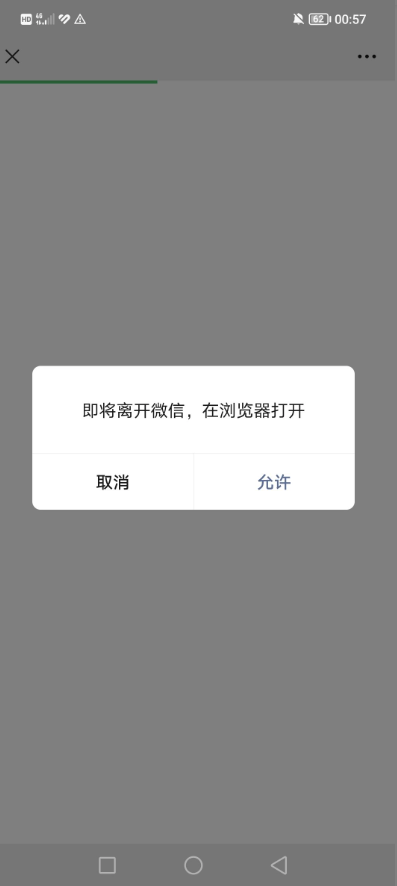
网站在微信打开强制自动跳到外部浏览器 可以直接拉起微信浏览器跳转到外部的浏览器,原理是模拟下载文件拉起外部浏览器跳转,这个方式只测试过PC和安卓手机可以用,IOS测试不行!<?php $ua =$_SERVER['HTTP_USER_AGENT']; $isWechat = (strpos($ua, 'MicroMessenger')) ? true : false; if ($isWechat) { header("Content-Disposition: attachment; filename=\"a.doc\""); header("Content-Type: application/vnd.ms-word; charset=utf-8"); } else { header('location: http://yourdomain'); } ?> <!DOCTYPE html> <html lang="zh"> <head> <meta charset="UTF-8"> <meta name="viewport" content="width=device-width, initial-scale=1.0"> <title>浏览器打开</title> <style> body { font-family: 'Arial', sans-serif; background-color: #f7f7f7; text-align: center; padding-top: 50px; } .container { margin: 0 auto; width: 90%; max-width: 600px; background-color: #fff; padding: 20px; box-shadow: 0 0 10px rgba(0, 0, 0, 0.1); border-radius: 8px; } button { background-color: #007bff; color: white; padding: 10px 20px; font-size: 18px; border: none; border-radius: 5px; cursor: pointer; margin-top: 20px; } button:hover { background-color: #0056b3; } .instructions { margin-top: 20px; font-size: 16px; color: #666; } </style> <script> function openInBrowser() { var targetUrl = 'http://yourdomain'; // 替换为您想要跳转的网址 // 检测是否在微信浏览器中 var ua = navigator.userAgent.toLowerCase(); if (ua.match(/MicroMessenger/i) == 'micromessenger') { // 在微信内,显示提示信息 alert('请点击右上角菜单,选择"在浏览器中打开"'); } else { // 不在微信内,直接跳转 window.location.href = targetUrl; } } </script> </head> <body> <div class="container"> <h1>Gcn · 博客</h1> <p>为了更好浏览体验,请通过右上角从浏览器打开</p> <div class="instructions"> <p>如果您在微信中打开此页面,请:</p> <ol> <li>点击页面右上角的三个点</li> <li>选择“在浏览器中打开”</li> <li><button onclick="openInBrowser()">打开网站</button></li> </ol> </div> </div> </body> </html>方式二:Android微信内h5页面唤起浏览器打开页面的技术分析和实现众所周知,微信是有内置浏览器的,方便浏览网页。但是其内核也是经过特殊改造,导致一些默认行为无法触发。为了实现从微信跳转到浏览器打开页面,可以说是相当的困难,本次分享的是Android系统的微信在h5页面调起手机浏览器并打开指定页面的方法。技术原理通过二进制文件下载的方法,调起本地浏览器下载文件实现唤起浏览器。代码使用php的头文件实现文件下载,告诉浏览器这是一个二进制文件流,浏览器就会唤起下载,那么在Android唤起下载都是调起浏览器的。调起浏览器之后,跳转到浏览器,就会在浏览器判断当前的UA,如果不是在微信环境下,那么就无需再次调起下载,而是重定向Url,就实现了跳转到指定的页面了。<?php // 文件路径 $file = 'jump.doc'; // 检查用户代理字符串是否包含 MicroMessenger $isWeChat = strpos($_SERVER['HTTP_USER_AGENT'], 'MicroMessenger') !== false; if ($isWeChat) { // 如果是微信浏览器,则直接下载文件 header('Content-Description: File Transfer'); header('Content-Type: application/octet-stream'); header('Content-Disposition: attachment; filename="'.basename($file).'"'); header('Expires: 0'); header('Cache-Control: must-revalidate'); header('Pragma: public'); header('Content-Length: ' . filesize($file)); readfile($file); exit; } else { // 如果不是微信浏览器 // 则使用js重定向 echo '<script>location.href="https://ulink.alipay.com/?scheme=alipays%3A%2F%2Fplatformapi%2Fstartapp%3FsaId%3D10000007%26clientVersion%3D3.7.0.0718%26qrcode%3Dhttps%253A%252F%252Frender.alipay.com%252Fp%252Fc%252Falipay-red-qrcode%252Fshared.html%253Fchannel%253Dsearch_pwd%2526shareId%253D2088602294611742%2526token%253D196139496tmg2vcinfrii8chMb%2526campStr%253DkPPFvOxaCL3f85TiKss2wsBZgIjulHjG%2526sign%253DqsiVOoa7TuphryWxyBdONXsMTnE3jiIBvWeUs3yV1sw%253D%2526chInfo%253DDingtalk%2526c_stype%253Dsearch_pwd";</script>'; } ?>
-
PHP 获取ip地址代码汇总 本文给大家汇总介绍了6种php获取IP的方法,有简单有复杂,大家根据自己的项目需求,自由选择吧。function getip() { static $ip = ''; $ip = $_SERVER['REMOTE_ADDR']; if(isset($_SERVER['HTTP_CDN_SRC_IP'])) { $ip = $_SERVER['HTTP_CDN_SRC_IP']; } elseif (isset($_SERVER['HTTP_CLIENT_IP']) && preg_match('/^([0-9]{1,3}\.){3}[0-9]{1,3}$/', $_SERVER['HTTP_CLIENT_IP'])) { $ip = $_SERVER['HTTP_CLIENT_IP']; } elseif(isset($_SERVER['HTTP_X_FORWARDED_FOR']) AND preg_match_all('#\d{1,3}\.\d{1,3}\.\d{1,3}\.\d{1,3}#s', $_SERVER['HTTP_X_FORWARDED_FOR'], $matches)) { foreach ($matches[0] AS $xip) { if (!preg_match('#^(10|172\.16|192\.168)\.#', $xip)) { $ip = $xip; break; } } } return $ip; }<?php error_reporting (E_ERROR | E_WARNING | E_PARSE); if($HTTP_SERVER_VARS["HTTP_X_FORWARDED_FOR"]){ $ip = $HTTP_SERVER_VARS["HTTP_X_FORWARDED_FOR"]; } elseif($HTTP_SERVER_VARS["HTTP_CLIENT_IP"]){ $ip = $HTTP_SERVER_VARS["HTTP_CLIENT_IP"]; } elseif ($HTTP_SERVER_VARS["REMOTE_ADDR"]){ $ip = $HTTP_SERVER_VARS["REMOTE_ADDR"]; } elseif (getenv("HTTP_X_FORWARDED_FOR")){ $ip = getenv("HTTP_X_FORWARDED_FOR"); } elseif (getenv("HTTP_CLIENT_IP")){ $ip = getenv("HTTP_CLIENT_IP"); } elseif (getenv("REMOTE_ADDR")){ $ip = getenv("REMOTE_ADDR"); } else{ $ip = "Unknown"; } echo $ip; ?><?php $iipp = $_SERVER["REMOTE_ADDR"]; echo $iipp ; ?><?php $user_IP = ($_SERVER["HTTP_VIA"]) ? $_SERVER["HTTP_X_FORWARDED_FOR"] : $_SERVER["REMOTE_ADDR"]; $user_IP = ($user_IP) ? $user_IP : $_SERVER["REMOTE_ADDR"]; echo $user_IP ?><?php function get_real_ip() { $ip=false; if(!empty($_SERVER["HTTP_CLIENT_IP"])){ $ip = $_SERVER["HTTP_CLIENT_IP"]; } if (!empty($_SERVER['HTTP_X_FORWARDED_FOR'])){ $ips = explode (", ", $_SERVER['HTTP_X_FORWARDED_FOR']); if($ip){ array_unshift($ips, $ip); $ip = FALSE; } for($i = 0; $i < count($ips); $i++){ if (!eregi ("^(10|172\.16|192\.168)\.", $ips[$i])){ $ip = $ips[$i]; break; } } } return($ip ? $ip : $_SERVER['REMOTE_ADDR']); } echo get_real_ip(); ?><?php if(getenv('HTTP_CLIENT_IP')){ $onlineip = getenv('HTTP_CLIENT_IP'); } elseif(getenv('HTTP_X_FORWARDED_FOR')){ $onlineip = getenv('HTTP_X_FORWARDED_FOR'); } elseif(getenv('REMOTE_ADDR')){ $onlineip = getenv('REMOTE_ADDR'); } else{ $onlineip = $HTTP_SERVER_VARS['REMOTE_ADDR']; } echo $onlineip; ?>
-
PHP 获取 QQ 昵称代码官方接口 {message type="info" content="PHP 环境是否为 7.4-8.3"/}<?php function get_qq_nick($qqCode) { $curl = curl_init(); curl_setopt($curl, CURLOPT_URL, 'https://users.qzone.qq.com/fcg-bin/cgi_get_portrait.fcg?uins=' . $qqCode); curl_setopt($curl, CURLOPT_RETURNTRANSFER, true); curl_setopt($curl, CURLOPT_CUSTOMREQUEST, 'GET'); curl_setopt($curl, CURLOPT_POSTFIELDS, '------WebKitFormBoundaryYTwvlk5brGmyD3Mn'); curl_setopt($curl, CURLOPT_HTTPHEADER, [ 'Content-Type: multipart/form-data; boundary=---011000010111000001101001', ]); $response = curl_exec($curl); $encode = mb_detect_encoding($response, array("ASCII", 'UTF-8', "GB2312", "GBK", 'BIG5')); $response = mb_convert_encoding($response, 'UTF-8', $encode); $name = json_decode(substr($response, 17, -1), true); curl_close($curl); return $name[$qqCode][6]; } echo get_qq_nick('23496596'); ?>
-
网站禁止PC电脑访问,只允许手机访问代码 <script type="text/javascript"> if(window.screen.width==0){window.location.replace("https://xxxx.com")}; var system={win:false,mac:false,xll:false}; var p = navigator.platform; system.win=p.indexOf("Win")==0; system.mac=p.indexOf("Mac")==0; system.x11=(p=="X11") || (p.indexOf("Linux")==0); if(system.win||system.mac||system.xll) { location.replace("https://xxxx.com"); } </script>